

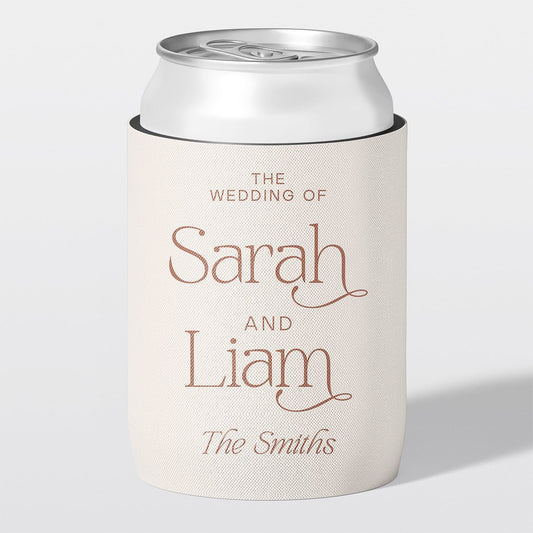

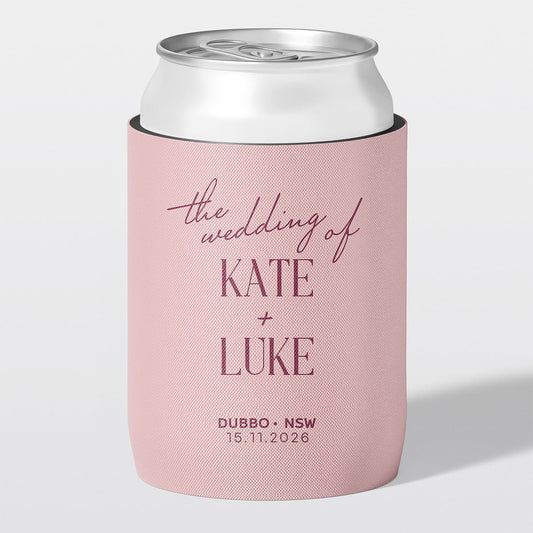


You don't need to be a designer to create a great-looking stubby holder.
Whether you're creating your artwork in Canva, Illustrator, Photoshop or ChatGPT, it's easy to create something completely unique for your wedding, birthday, business, sporting club or special event.
After printing tens of thousands of custom stubby holders, we've noticed the same few mistakes come up again and again. Spending five minutes reading this guide can save you time and help your artwork print exactly as you imagined.
What You'll Learn in This Guide
- The correct artwork size
- How to avoid common printing mistakes
- The best file types to upload
- What happens after you place your order
Don't worry if you've already finished your design. We check every order before printing and will let you know if we spot anything that could cause problems.
✓ Short on time?
Download our Stubby Holder Design Checklist and tick everything off before you upload your artwork. It only takes a couple of minutes and helps avoid the most common printing issues.
1. Start with the Right Artwork Size
Before you add any text or images, create your document using the artwork size below.
Standard & Overlocked Stubby Holders
| Measurement | Size |
|---|---|
| Artwork Size | 225 × 125 mm |
| Recommended Design Area | 210 × 110 mm |
| Safe Design Area | 200 × 100 mm |
Keep important text, logos and faces inside the recommended design area. For the best result, keep your key design elements within the safe design area.
Slimline Stubby Holders
| Measurement | Size |
|---|---|
| Artwork Size | 205 × 135 mm |
| Visible Print Area | 190 × 120 mm |
| Safe Design Area | 180 × 110 mm |
Starting with the correct size means your artwork won't need to be stretched or cropped later.
Using Canva?
Create a custom size design using the dimensions above before you start adding your text, photos or design elements.
 If you're creating with something other than Canva? No problem. The same principles apply.
Using ChatGPT or another AI tool? Try adding this to your prompt:
Create this design as a high-resolution PNG in a 16:9 landscape ratio, sized 225 × 125 mm, suitable for printing onto a stubby holder.
We've also created this handy Artwork Size Guide for you to download or screenshot to help with your design.
2. Keep Important Details Away from the Edges
Your artwork wraps all the way around the stubby holder, so the left and right edges of your design meet at the seam. Use our handy Artwork Size Guide as a reference.
If important text, logos or faces are too close to the edge, they can end up wrapping around the seam or disappearing under the binding tape.
As a guide:
- Leave around 10 mm of space around the outside of your design.
- Keep names, logos and important text inside the recommended design area.
- If you're using a photo, avoid placing faces right near the edges.
Don't worry if you're unsure. We'll always check your artwork before printing and let you know if anything needs adjusting.

3. Watch Out for Thin Fonts and Lines
This is probably the most common issue we see.
Many fonts and graphic elements that look great on a computer screen are surprisingly thin. When printed onto fabric, those fine lines can lose detail and become harder to read.
If you've designed your artwork in Canva or another editable program, we can often make small adjustments to improve the final print without changing the overall look of your design.
This might include:
- Slightly thickening fine fonts
- Improving spacing
- Adjusting alignment
- Checking everything is positioned correctly on the stubby holder
These are the little finishing touches that can make a good design look even better.

Using ChatGPT or another AI tool? Try adding this to your prompt:
This artwork will be printed onto a fabric stubby holder. Use bold fonts and avoid thin lines or small details. Make all text and graphics thick enough to print sharply and remain easy to read. If the design doesn't include a full background colour or pattern, create a transparent background so it can be printed cleanly onto the stubby holder.
Tip: AI image generators often create text that looks thinner than it appears on screen. Asking for bold fonts, thicker lines, and high legibility usually produces much better results.
4. Use the Best Quality File You Have
A design that looks sharp on your phone won't always print that way. Using the highest quality version you have gives the best print result, but don't worry if you don't have the perfect file.
For the best print quality:
- Canva: Download your design as a PNG using the default size, or a larger size if you have Canva Pro.
- ChatGPT or other AI tools: Ask for a high-resolution PNG at 225 × 125 mm in a 16:9 ratio and, if needed, a transparent background.
- Photos: Upload the original photo rather than a screenshot or an image saved from social media where possible.
- Logos: A PNG with a transparent background usually works best.
What is a transparent background?
A transparent background means your design doesn't include a coloured or white box behind it. Instead, only the artwork itself is included in the file.
This gives us much more flexibility when printing. We can place your design over a solid background colour that prints cleanly and accurately across the entire stubby holder, giving a more professional finish.
If your design already includes a full background colour or pattern that's intended to cover the entire stubby holder, you don't need a transparent background.
Only have an old or low-quality image? That's okay.
We regularly receive everything from professional business logos to phone photos of printed photographs. If that's the only version you have, send it through. We'll check the quality before production and we will always let you know if we think it won't print well. In many cases, we can make small improvements or help you find a better solution.
5. Send Your Editable File If You Have One
If you've designed your artwork in Canva, include the Canva link as well as your downloaded artwork if you can.
It gives us a little more flexibility to make small improvements, like adjusting spacing or slightly thickening fine fonts, without asking you to recreate your design.
If you don't have an editable file, that's completely okay. Just send us the best version you have and we'll work from there.
6. Every Order Receives a Proof
Even if you've already created your design, we'll still send you a digital proof before we print anything.
This gives you the opportunity to double-check:
- Spelling
- Colours
- Positioning
- Sizing
- Overall layout
Nothing goes into production until you've approved your proof, so you can be confident everything looks exactly the way you want it.

Before you place your order, grab our free Stubby Holder Design Checklist to make sure you've covered everything.
7. Start with What You Have
You don't need to be a designer to create a great-looking stubby holder.
Some customers upload a finished Canva design. Others send us a rough concept, inspiration photos, a few words and a favourite colour, or even a hand-drawn sketch.
As long as you've got an idea of what you're trying to achieve, we'll help turn it into a design that's ready for print.
Ready to Upload Your Artwork?
If you've already created your design, you're ready to go.
Upload your artwork, include your Canva link if you have one, and we’ll take care of the rest.
You'll receive unlimited proof revisions before production begins, so you can be confident everything looks exactly the way you imagined before your stubby holders are handmade here in Mackay, Queensland.
Head to our Design Your Own page to upload your creation.
Frequently Asked Questions
Can I design my stubby holder in Canva?
Yes. Canva is one of the most popular ways to create stubby holder artwork. Set your design to 225 × 125 mm (16:9 ratio), download it as a PNG or PDF Print, and upload it with your order.
Can I use a photo on my stubby holder?
Absolutely. Original photos usually produce the best results, but don't worry if all you have is a picture of an old printed photo or a lower-quality image. Send us the best version you have and we'll let you know if it's suitable before printing.
What file type should I upload?
PNG, PDF, JPEG and AI-generated images all work well. The most important thing is sending the highest quality version you have. If you're unsure, upload it anyway and we'll check it for you.
Can you fix my artwork before printing?
Yes. Every order is checked before production. If we notice something like thin fonts, alignment issues or artwork that's too close to the edges, we'll usually be able to make small improvements or contact you with recommendations before we print.
Do I need to be a graphic designer?
Not at all. Many of our customers have never designed anything before. Whether you've created your artwork in Canva, used ChatGPT or another AI tool, or simply have an idea you'd like to bring to life, we're happy to help.